ArtCraft PhotoCraftYour creative guide
Meet the open-source creative suite and its image editor. A closer look at PhotoCraft as an open source Photoshop alternative, with clear early-alpha boundaries.
Independent guide. Not affiliated with ArtCraft.
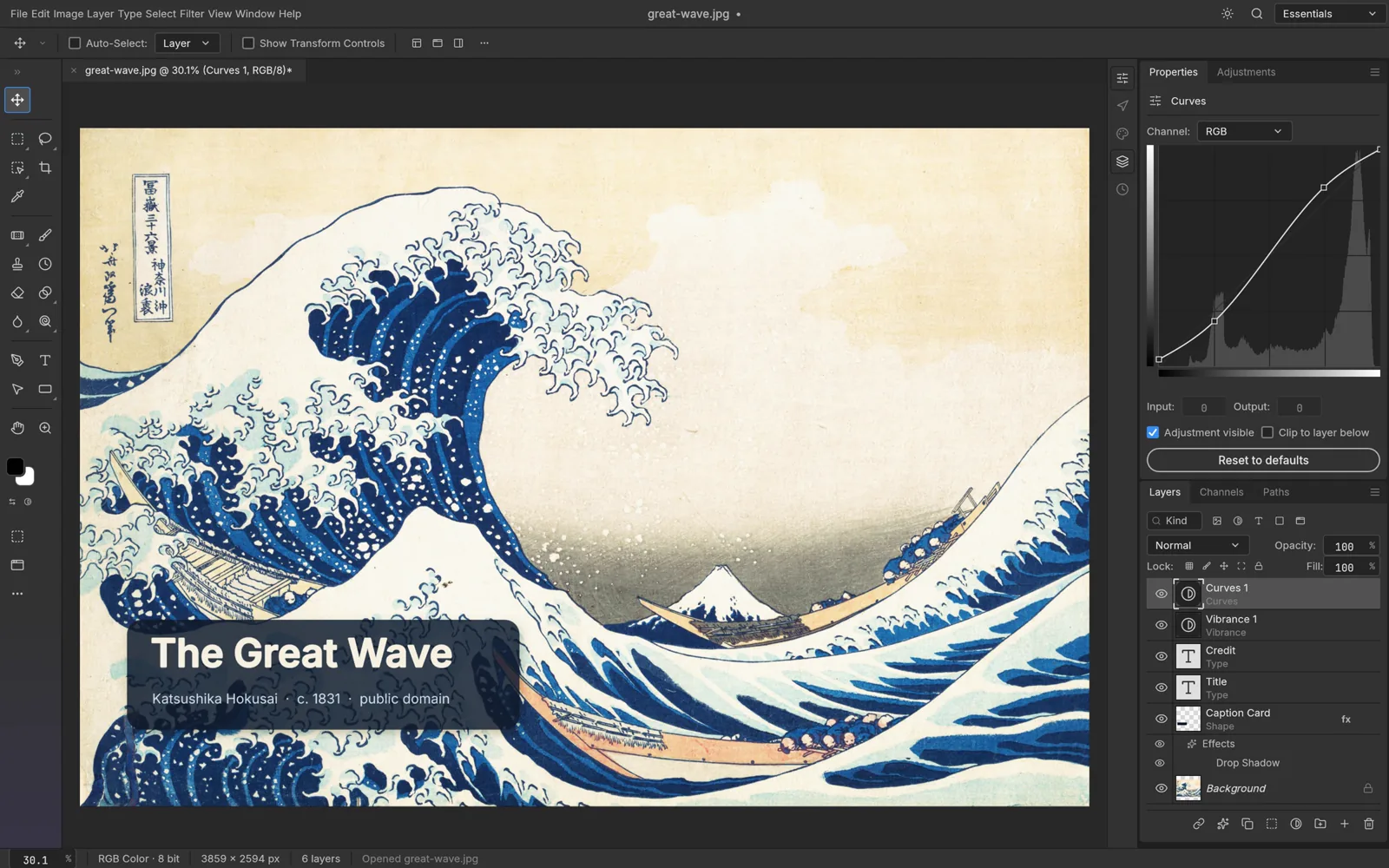
Official PhotoCraft screenshot, with a subtle bottom fade. Not our hands-on test. Image source & credits
One suite.
An image editor to explore.
See the documented tools in the project’s own interface.
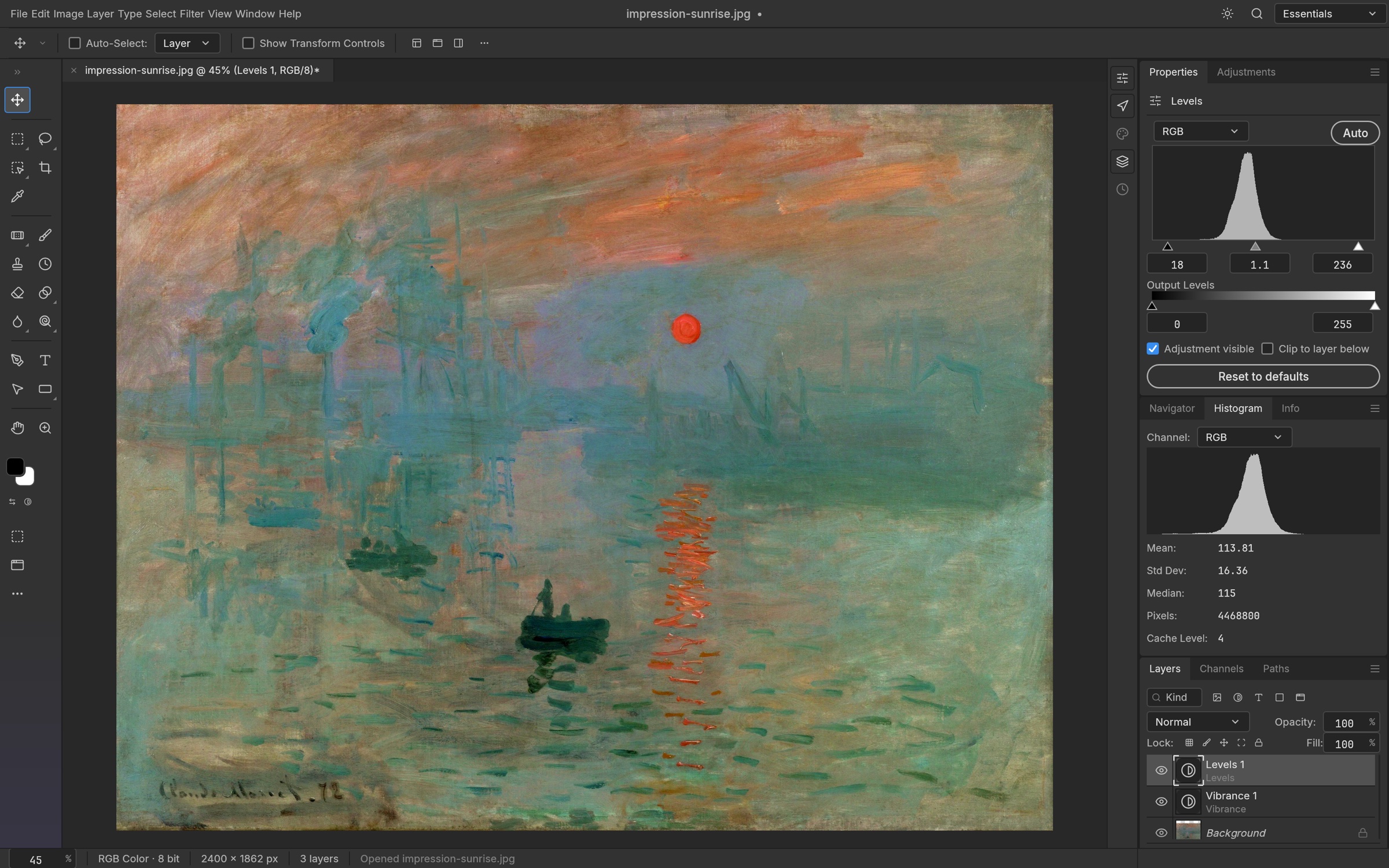
ArtCraft is the app family. PhotoCraft is its open-source image editor.
The ArtCraft team’s Crafting Apps lineup spans creative and productivity tools built in Rust. PhotoCraft brings a layered editing workflow with documented masks, adjustments, and PSD / PSB read and write.
Image tools, with room to grow.
The official interface shown here includes a Levels panel and histogram. Tool availability and exact behavior should be checked in the release you use.
PhotoCraft is early alpha. A screenshot does not establish stability or full Photoshop compatibility; use copies and keep a proven workflow for important work.
Explore PhotoCraft →Explore the wider family in the 12-app ArtCraft directory, with development status and official destinations.
Start small.
Keep your originals.
A suggested first trial, not a report of hands-on testing.
- 01
Choose the right build
Use the download guide to find an official package for your operating system and architecture. Read that release’s requirements and notes.
- 02
Try a simple edit
Duplicate a non-confidential image. Open the copy, make a small layer or mask edit, then save with a new filename. Keep system protections enabled.
- 03
Check the result
Reopen the saved file in your normal editor. Compare appearance, editable layers, fonts, and export. Expand your trial only when the required work checks out.
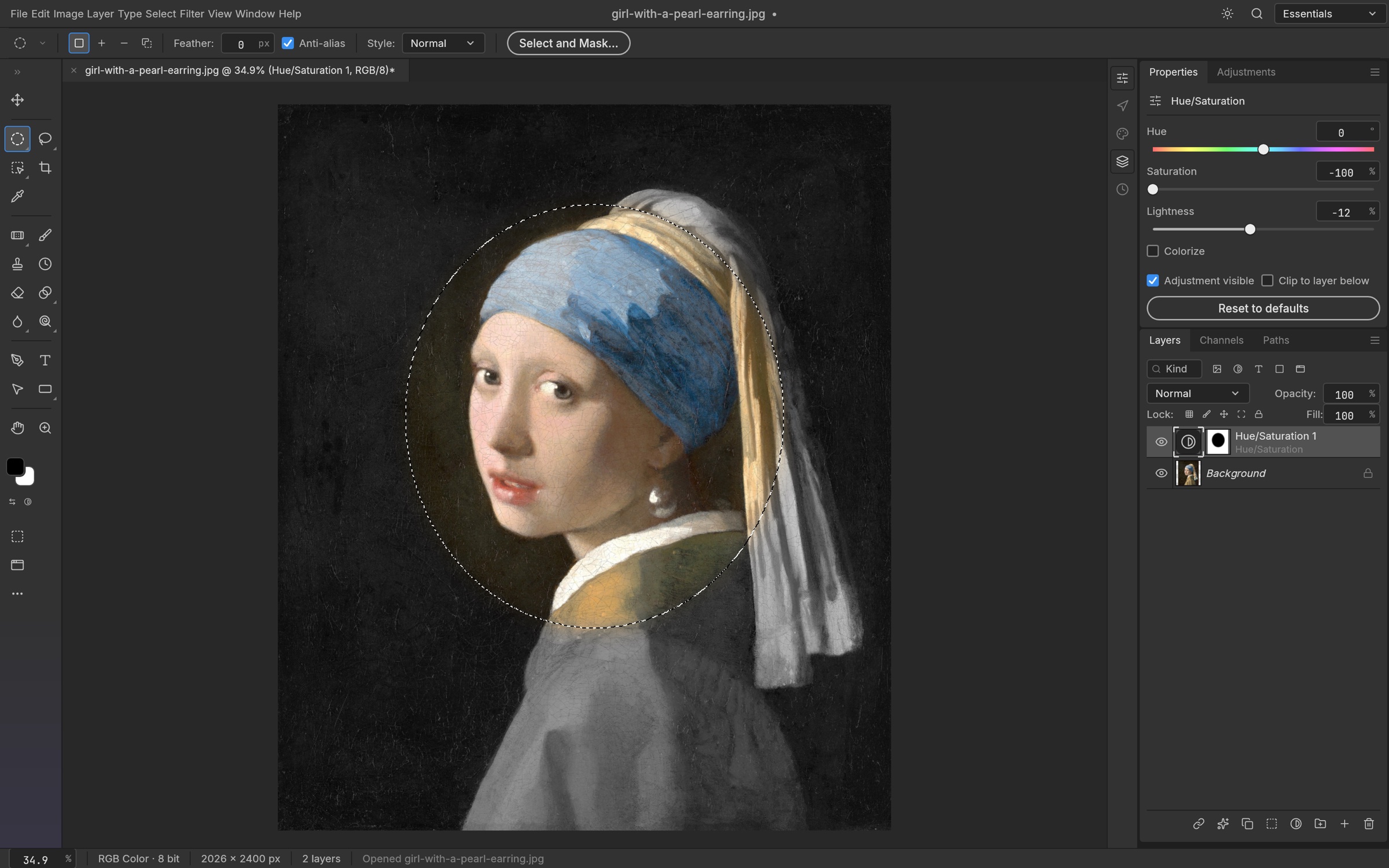
PhotoCraft and Photoshop.
Know the trade-offs.
Documentation-based overview.
No speed scores or feature-parity promise.
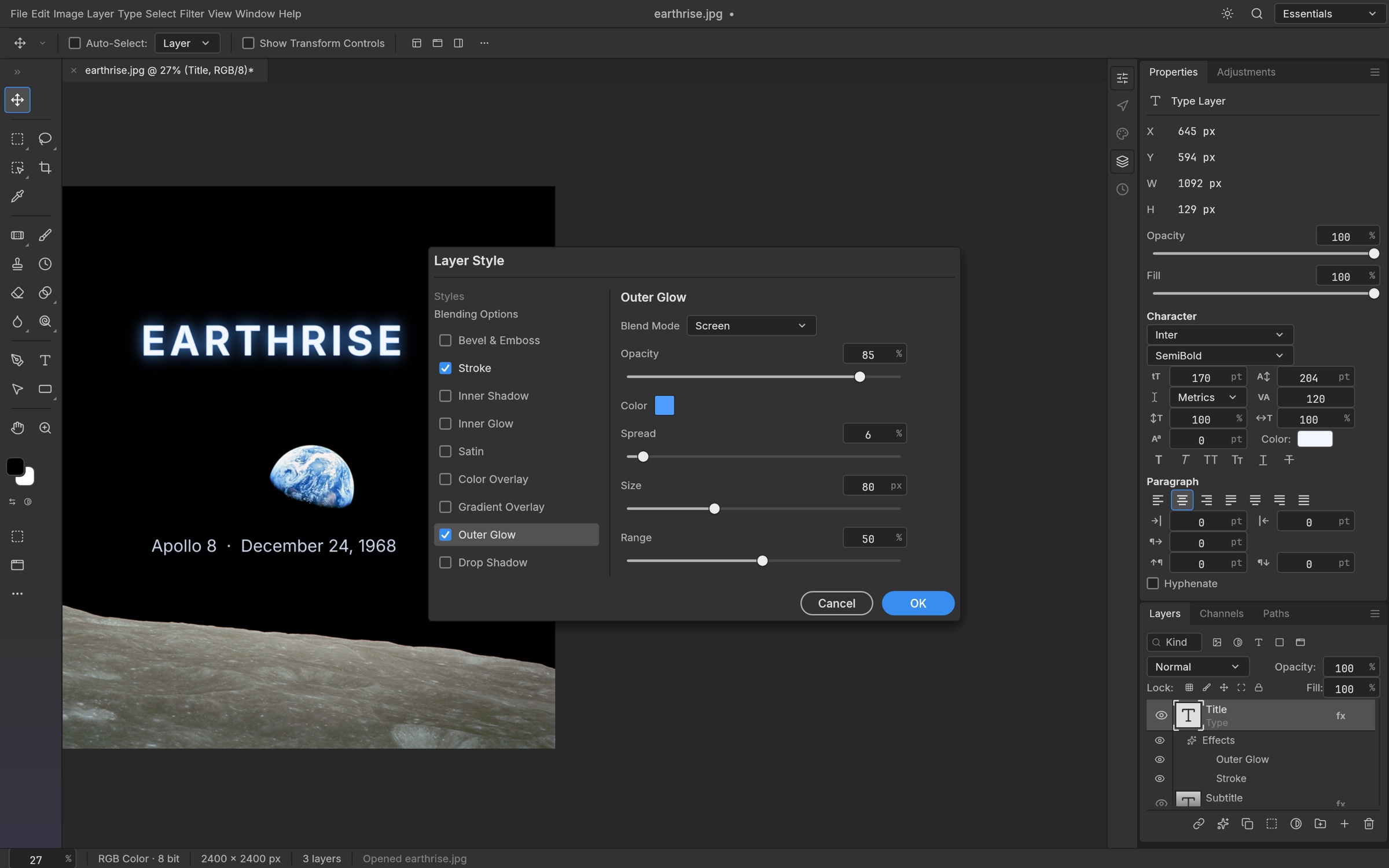
Familiar building blocks.
The official screenshot brings text, layer controls, and Outer Glow / Stroke settings into one view. PhotoCraft also documents masks and adjustment layers.
Check the details that matter.
Visible controls are not a guarantee of Photoshop parity. Test your required text rendering, effects, and editable-file handoff in the release you choose.
These images come from the project; they are not our captures or evidence of a hands-on comparison.
| Area | PhotoCraft | Adobe Photoshop |
|---|---|---|
| Access & licensing | Open source under MIT or Apache-2.0; official packages available without a software purchase. | Proprietary software offered by paid subscription. |
| Layers & adjustments | Documented layers, masks, adjustment layers, and smart filters. | Established layer, mask, and adjustment workflows; matching concepts do not mean identical tools. |
| PSD / PSB exchange | Documents read and write support. Exact file fidelity needs testing. | The originating workflow for these formats; verify any round trip through another editor. |
| Workflow readiness | Early alpha. Test stability, required tools, and handoffs before relying on it. | A broader established editing and plugin ecosystem. Check the features your work depends on. |
Based on project documentation and Adobe product information. See our sources and testing limits.
Ready for a careful first try?
Find official PhotoCraft packages and Windows, macOS, and Linux instructions in one place. We do not host or repackage installers.
Open the PhotoCraft download guideEarly-alpha software. Back up your files and check the selected release.
Official links
Project-owned websites and repository. Open Edit is an independent guide.
Before you begin.
Practical answers. Clear boundaries.
Is this the official ArtCraft or PhotoCraft website?
No. Open Edit Guide is independent and unofficial. The resource guide identifies project-owned destinations, and About explains our sources and screenshot credits.
Is PhotoCraft another name for Photoshop?
No. PhotoCraft is an ArtCraft image editor; Adobe Photoshop is a separate product.
Is PhotoCraft free and open source?
Its source is available under MIT or Apache-2.0, and official release packages are available without a software purchase. Source-code licenses do not automatically cover product names, logos, or every bundled asset.
Will all my Photoshop files work unchanged?
That is not established. The project documents PSD / PSB read and write, but fonts, effects, layer types, and other details can affect a round trip. Test copies in both applications before a handoff.
Is PhotoCraft ready for production work?
This guide does not establish production readiness. PhotoCraft is early alpha; we have not run hands-on stability, performance, or compatibility tests. Evaluate representative copies and keep a validated fallback.